Provider Onboarding
New provider? They finish intake in 10 minutes.
You send one invite. The provider fills in a short intake, uploads their documents, and our AI reads everything into their profile. By the time you finish your coffee, their payer applications are queued in Smart Enrollment and your team has nothing to re-key.
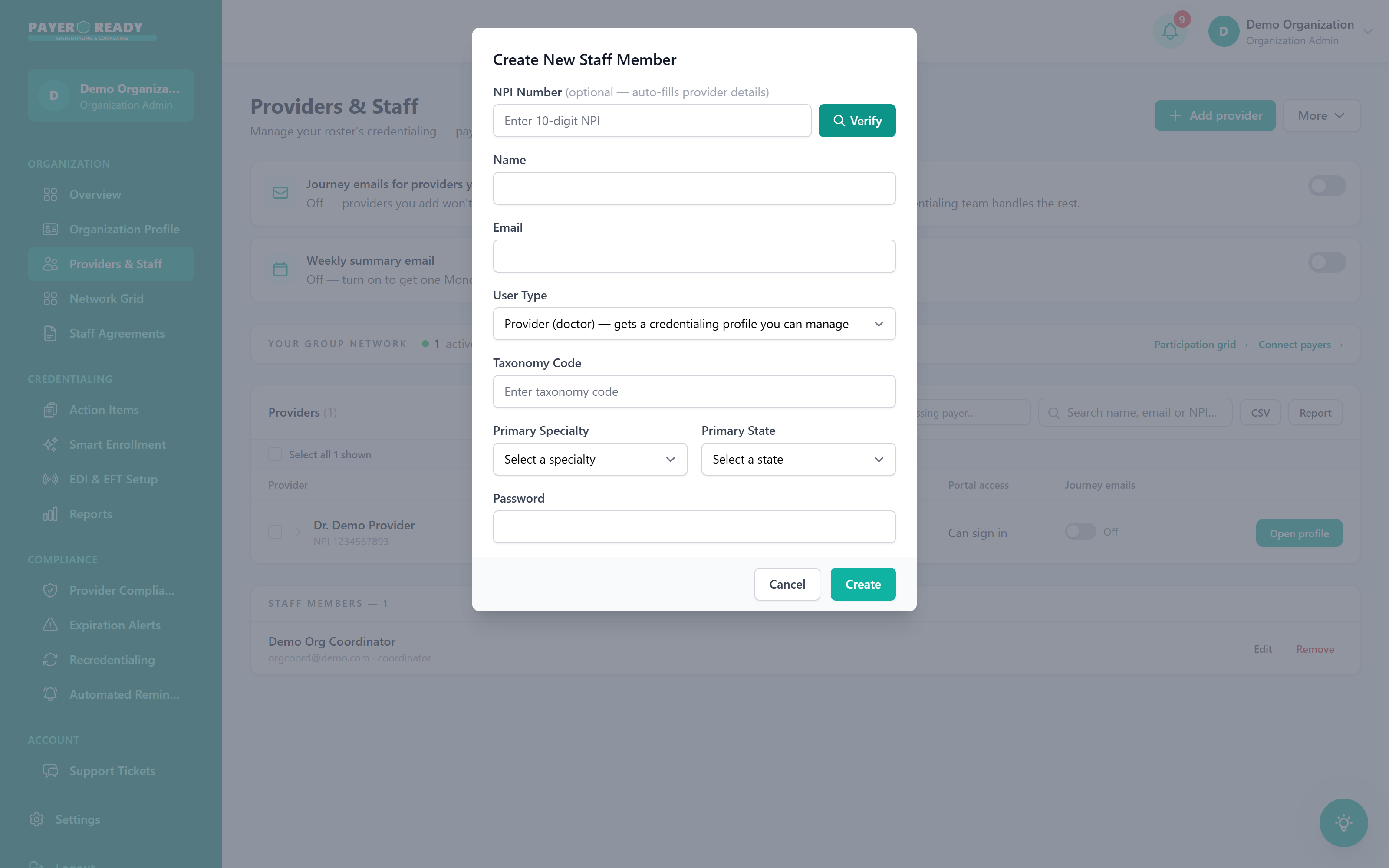
Enter the NPI, click Verify
Their details auto-fill from NPPES
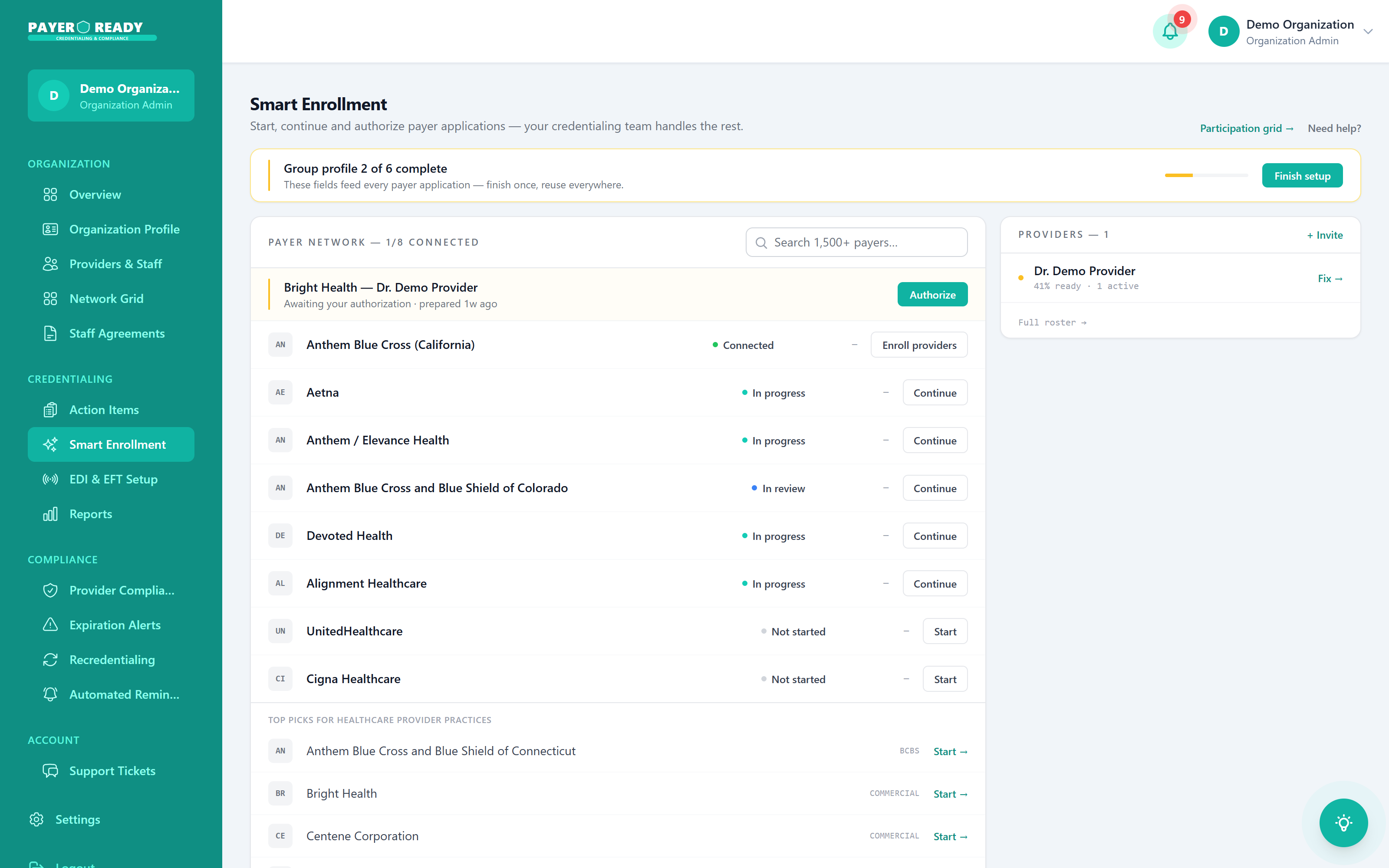
Where their applications actually live
This is Smart Enrollment, the real module your team uses. Payers picked for your practice type, statuses live, and one job for you: click Authorize. Your credentialing team handles the rest.
From invite to first claim, in four handoffs
Each step lives in a named module in your dashboard, so you always know where a new hire stands.
Providers & Staff
Send the invite. The provider completes a 10 minute intake and uploads documents from any device.
Document AI
Our AI reads the license, DEA, COI, and CV, and fills the profile. Your staff re-keys nothing.
Smart Enrollment
Applications are prepared against the group profile. You review and click Authorize. We file and follow up.
Action Items
Your queue shows only what needs you. Everything else is with your credentialing team until approval lands.
The chase work disappears
Onboarding without PayerReady
- Email a 30 minute form and wait weeks for it back
- Chase missing signatures and blurry license photos
- Re-key the same data into CAQH, payer forms, and spreadsheets
- Answer "where does my enrollment stand?" every Friday
- Find out a document expired when a payer rejects the file
Onboarding with PayerReady
- Send one invite from Providers & Staff
- The provider self serves a 10 minute intake
- AI reads the documents and fills the profile once
- Smart Enrollment queues the right payers automatically
- Expiration Alerts and Automated Reminders watch everything after go live
Provider onboarding questions, answered
What practice managers and credentialing coordinators ask us most.
About 10 minutes. The provider gets a link, fills in their details, and hits submit. Compare that to the 30+ minutes of back and forth paperwork most practices deal with. Once they submit, licensing, credentialing, and enrollment all start at the same time, with no waiting for one to finish before the next begins.
The basics: contact info, education, licenses, certifications, and practice locations. That's it. We cut out the redundant fields that make traditional forms so painful. The provider enters everything once, and that data feeds into every application downstream. No duplicate entry. No "didn't we already ask for this?"
The provider does their own data entry through a self service portal, and our document AI reads what they upload. Your staff stops re-keying information and chasing incomplete forms. The system flags missing fields before the provider even finishes, and one submission populates every credentialing and enrollment application.
Yes. Send invites to as many providers as you need. Each one gets their own link and completes intake on their own time. Your dashboard shows exactly who has finished and who hasn't, so you know who needs a nudge without digging through email threads.
Three things happen at once: licensing applications go out, credentialing submissions get filed, and payer enrollment starts in Smart Enrollment. Running these in parallel instead of one at a time is what gets providers billing significantly faster. You can watch the status of each process from your dashboard.
Every bit of it. All data is encrypted in transit and at rest. The platform is HIPAA compliant. Providers log in securely before touching their profile, and sensitive details like SSN and NPI are locked behind role based access controls. Only the people who need to see it can see it.