How it works
Walk the path from NPI to in network.
This page is the actual journey, step by step. At every stop you will see three things: what you do, what your specialist does, and what appears on your screen while it happens.
Day 0 · Ten minutes, once
Your NPI opens the door
Enter your NPI and click Verify. NPPES returns your name, taxonomy, and practice details, and your account exists. That is the entire barrier to entry: no card, no sales call, no contract.
What you do
Type one number, confirm the details NPPES returns.
What we do
Provision your dashboard and pre-build the profile skeleton from the registry data.
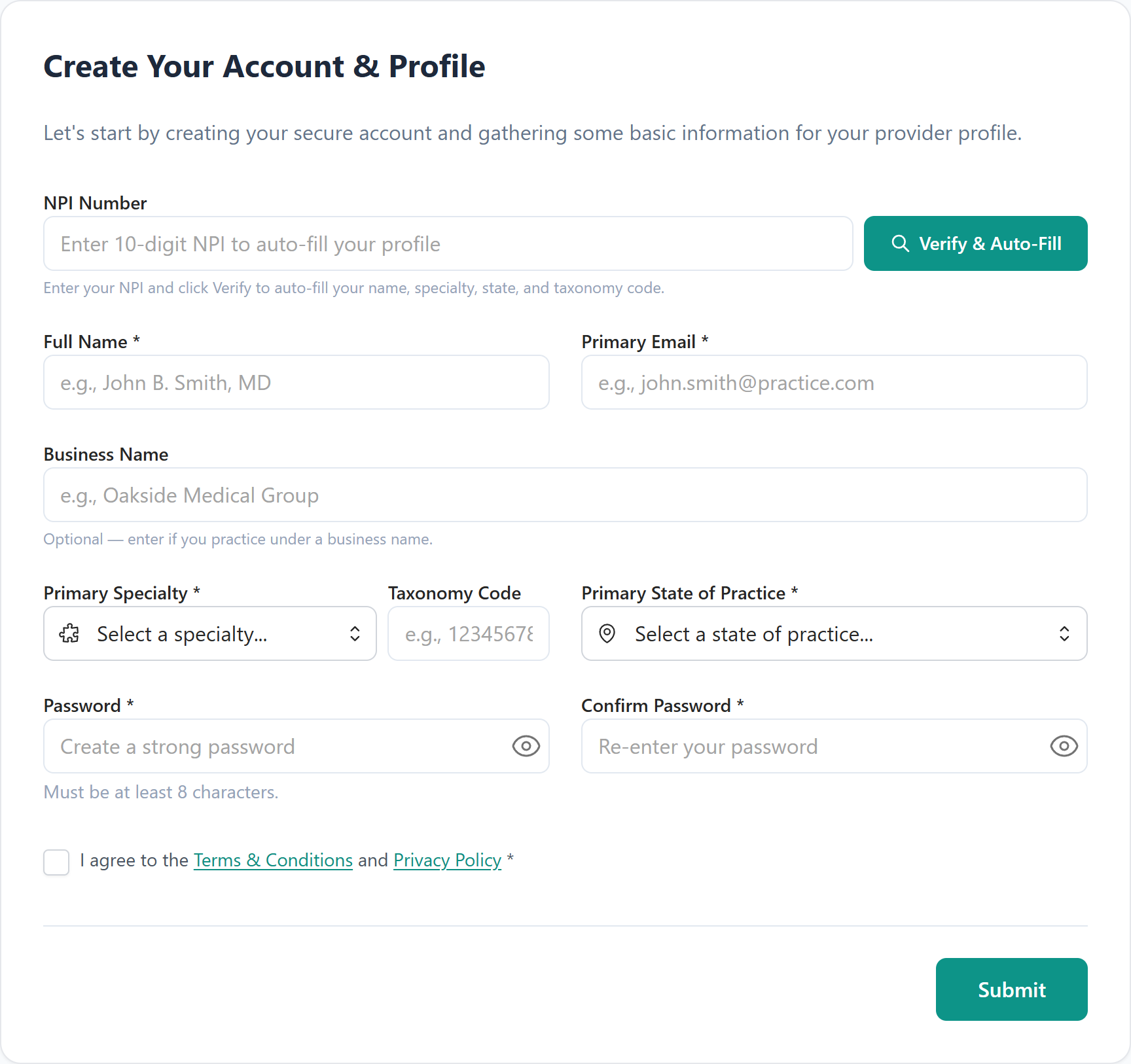
Real screen, step 1. This is what your dashboard shows right here.
Days 1 to 3 · The only real homework
The file gets built, once, forever
Upload the documents every payer will ever ask for: license, DEA, malpractice face sheet, board certificates, CV. Document AI reads each one, files it, and fills the matching profile fields. Your CAQH ProView gets built or repaired from the same record, because half of all payer delays start with a stale CAQH.
What you do
Drag files in, e-sign the payer authorizations, answer what only you can answer.
What we do
Read every document with Document AI, reconcile CAQH, and verify the packet against each target payer's checklist.
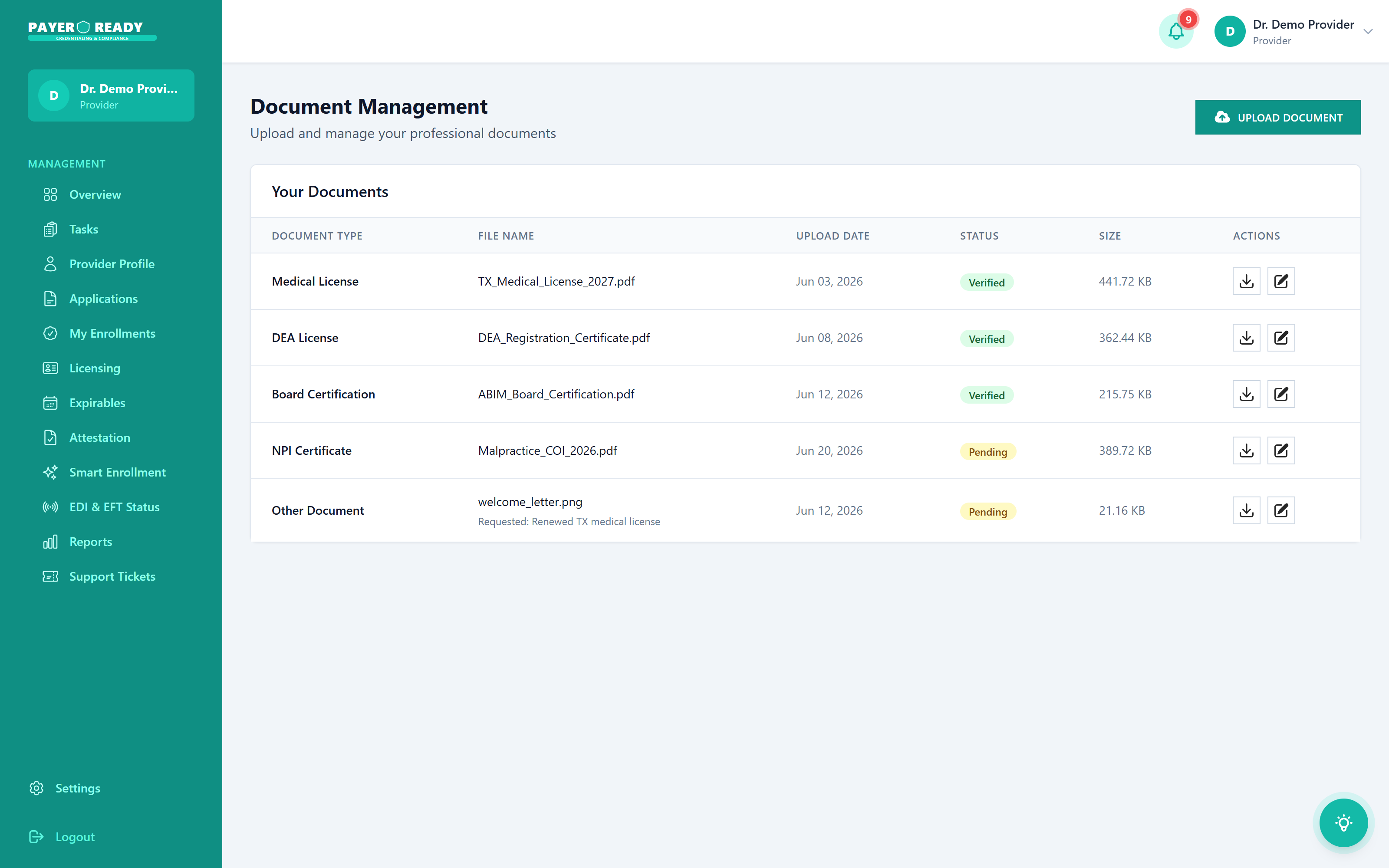
Real screen, step 2. This is what your dashboard shows right here.
Day 3 · The decision point
Pick payers. See every price. Approve.
Choose the payers that matter in your market. Each application displays its exact price before it starts, $119 to $149 depending on roster volume. Nothing is billed until you approve it, which means the invoice can never surprise you, structurally.
What you do
Select payers, read the prices on screen, click approve.
What we do
Sequence the submissions so dependent steps, like CAQH authorization before commercial review, land in the right order.
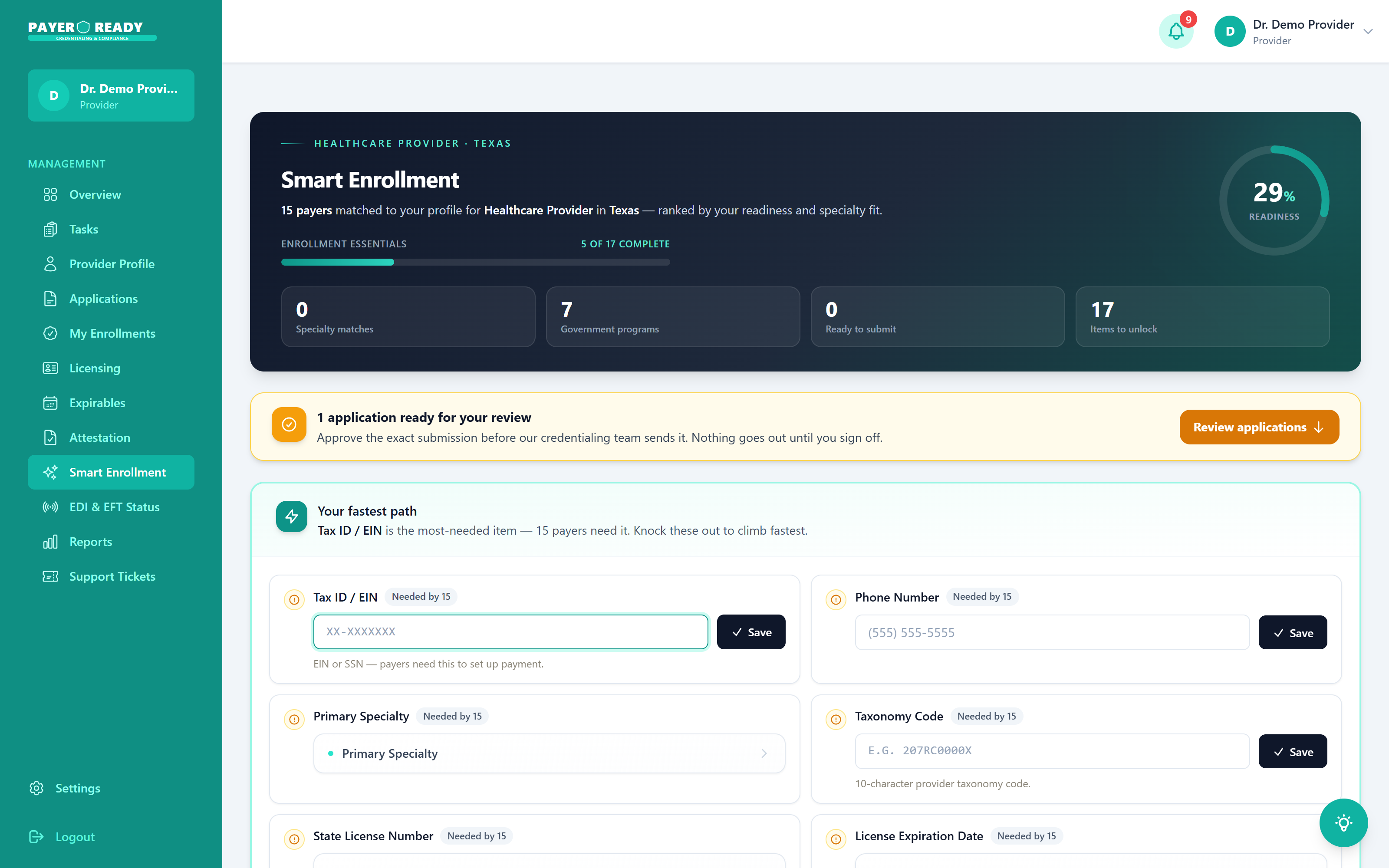
Real screen, step 3. This is what your dashboard shows right here.
Week 1 · Your part is done
Packets go out, built to each payer's taste
Every payer wants its application its own way: specific forms, specific attachments, specific cover sheets. Your specialist assembles each packet to that payer's requirements and submits it, saving every confirmation number to your file. Incomplete applications bounce and restart the clock. Complete ones move.
What you do
Nothing. Genuinely. Watch statuses appear on your dashboard.
What we do
Assemble, submit, and record confirmations for every payer on your list.
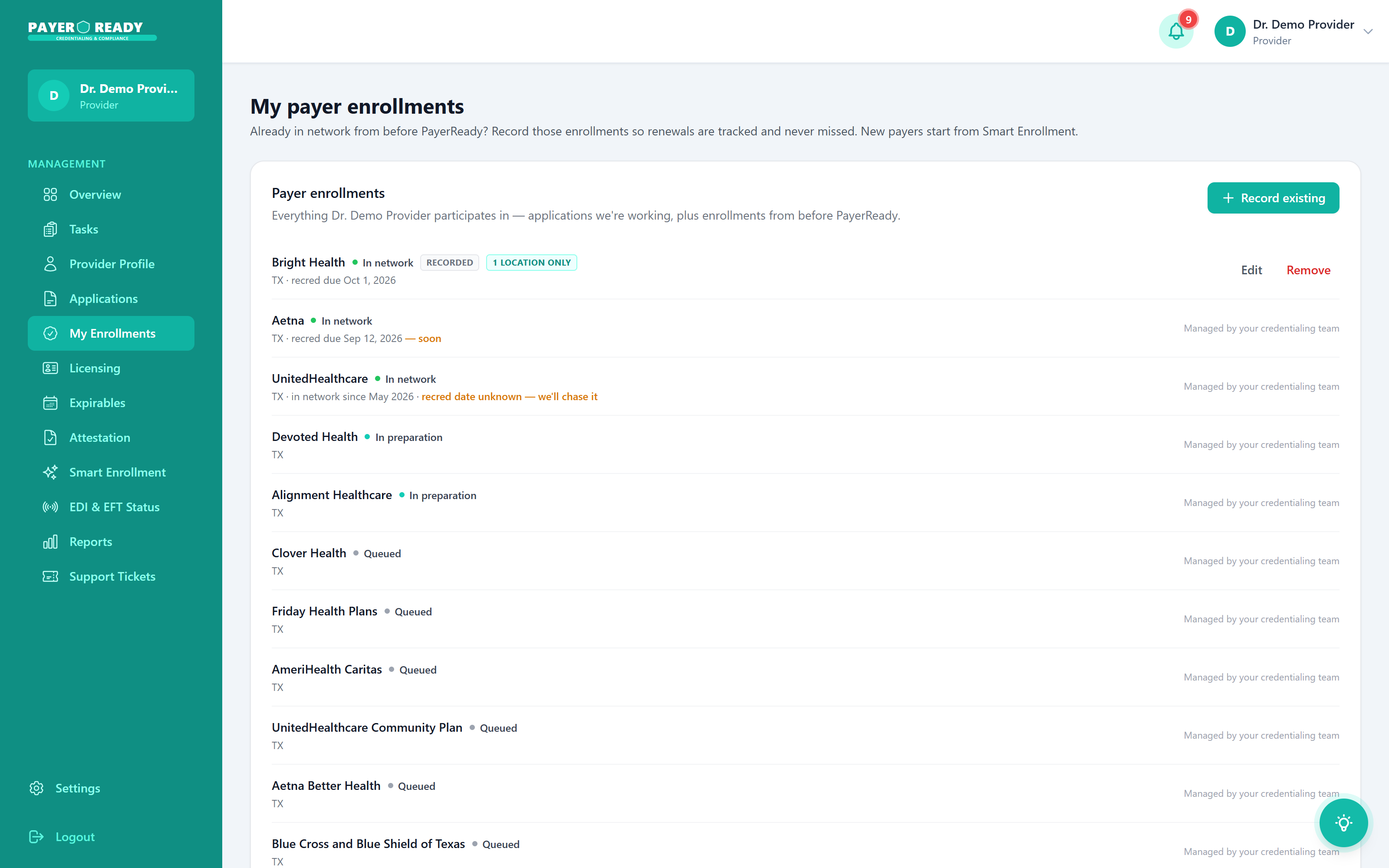
Real screen, step 4. This is what your dashboard shows right here.
Weeks 2 to 10 · The long middle
This is where every other credentialing service goes quiet. Step into what happens here instead.
The cadence is the product
Applications do not approve themselves. They get approved because someone circles back every two weeks, and writes down what the payer said.
What you do
Read the log whenever you want. Answer the occasional signature request. Keep seeing patients.
What we do
Contact every payer every two weeks, log every response, and cure deficiencies the week they surface.
Day 60 to 90 · The destination
Approved. Billing. Watched forever.
Approvals land with effective dates locked and recorded, and your dashboard flips to in network. Then the file rolls into its permanent state: every license, DEA registration, board certification, malpractice policy, and CAQH attestation alarmed at 90, 60, and 30 days, with OIG and SAM screening on a standing schedule. Getting in network was the project. Staying in network is the product.
What you do
Bill the payers you are now par with. Renew calmly when the early alerts arrive.
What we do
Watch every expiration date and exclusion list so the panel you built never quietly falls apart.
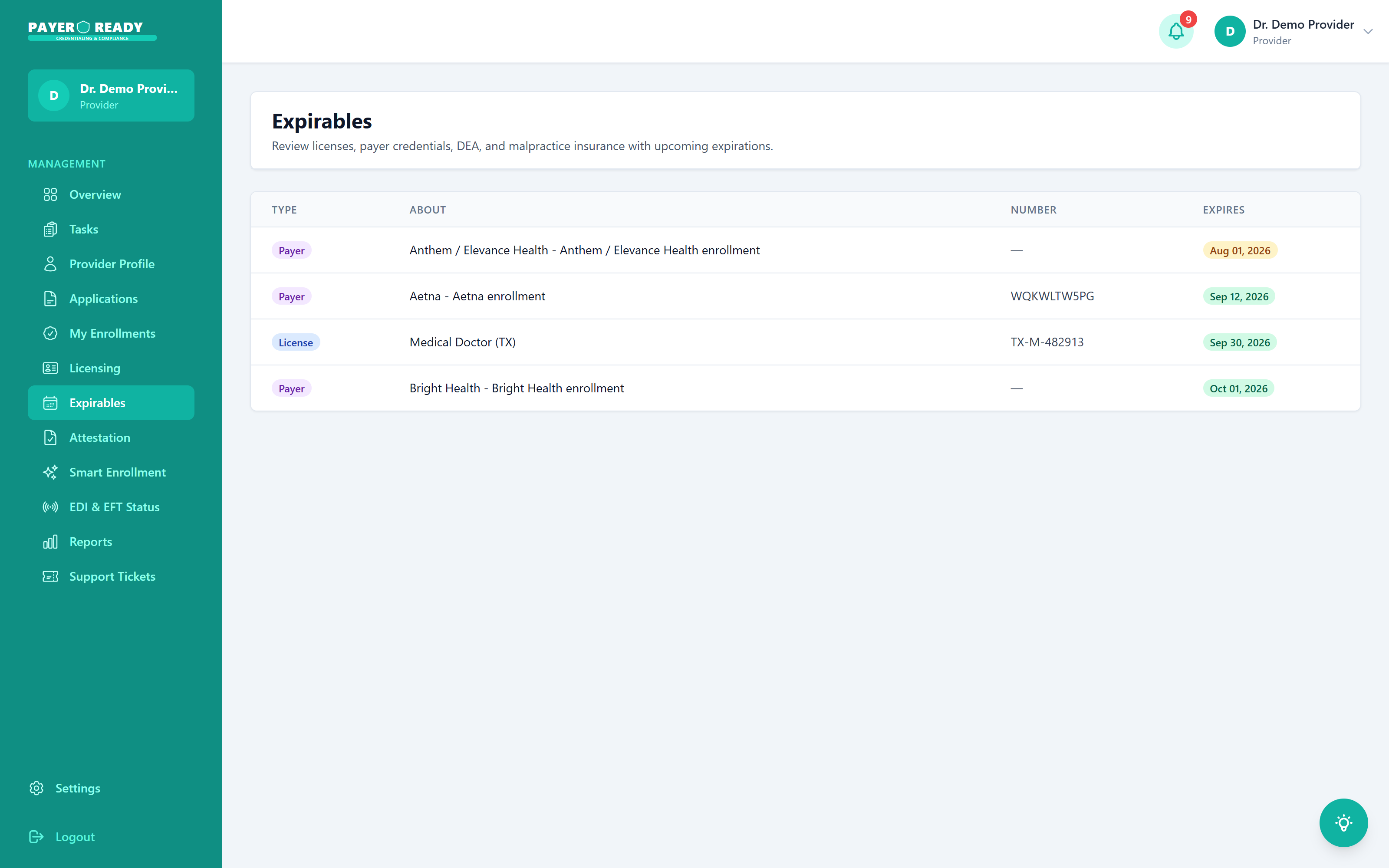
Real screen, step 6. The quiet dashboard is the goal.
The process, measured
What discipline does to a timeline
The steps are simple. The results come from running them on schedule, every time, for every payer.
60 to 0
days typical to in network
Against an industry norm of 120 to 180 when nobody follows up on schedule.
0 weeks
between every payer follow up
The cadence never stretches, because it is a system rather than a memory.
$0 to $149
per application, shown upfront
Every price on screen before the application starts. No retainers, ever.
0
of payer responses logged on your file
Silence is never a status. If we heard it, you can read it.
Process questions, answered straight
What people ask before taking step one.
Typical commercial enrollment runs 60 to 90 days from a complete application. Medicare via PECOS is often faster. The industry norm when nobody follows up is 120 to 180 days. The difference is the two week cadence: every payer contacted on schedule, every response logged, every deficiency cured the week it surfaces.
Signup is free and there is no subscription. Payer applications run $119 to $149 each depending on roster volume, and every price is shown before an application starts. Organizations that want the entire function handled can move to the Managed tier from $499 per month plus $129 per provider, with a 3-provider minimum.
Your NPI to start, since NPPES fills most of your profile automatically. Then the documents every payer asks for: license, DEA if applicable, malpractice face sheet, board certificates, CV. Upload them once and Document AI reads them into your profile. After that, most of what we need from you is a signature now and then.
We maintain 190+ payer relationships across all 50 states: UnitedHealthcare, Aetna, Cigna, BCBS plans, Humana, Medicare via PECOS, every state Medicaid program, TRICARE and VA Community Care, plus regional plans and IPAs. If a payer matters in your market, it is almost certainly already in the system.
We take over in flight files regularly. Your specialist recovers portal access, verifies what was actually submitted versus what was claimed, logs the true status of each application, and works them forward from wherever they honestly stand.
This is the question the whole product answers. Every payer contact your specialist makes is logged on your file with the date and the response. You watch statuses move from submitted to in review to approved on your dashboard. If a week ever feels quiet, you read the log instead of writing a worried email.