Provider Data Management
One provider profile. Everything runs on it.
Provider data lives in CAQH, spreadsheets, old emails, and someone’s memory. PayerReady gives every provider one living profile, kept current by document AI, and reuses it for every application, attestation, renewal, and report.
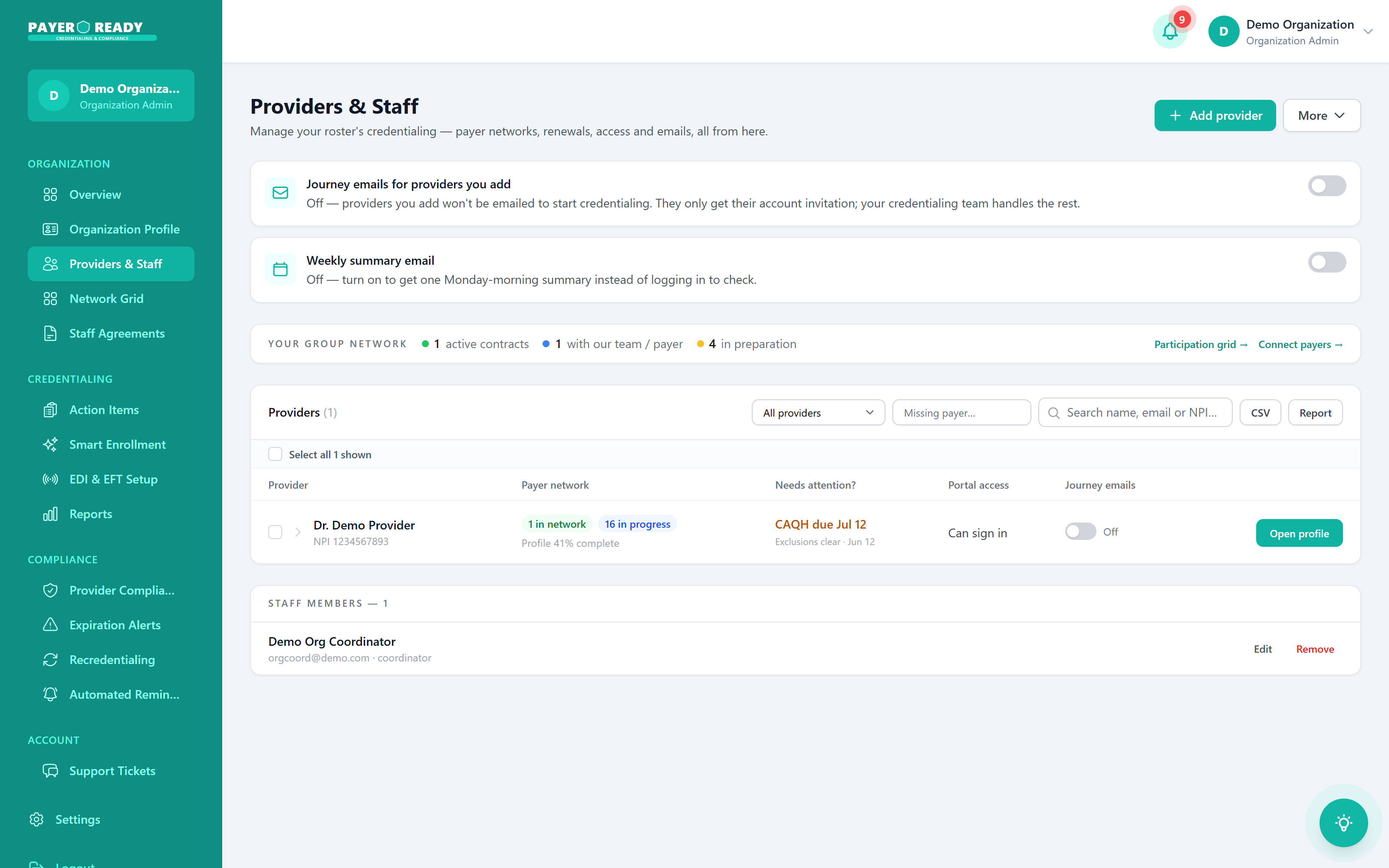
Profile completeness, live
CAQH due dates and gaps on every row
One profile. Everything orbits it.
Change an address, upload a license, update malpractice coverage. It happens once, at the center, and every system that depends on it stays in sync.
Provider data, before and after
Data without PayerReady
- The same NPI typed into forms a dozen times
- CAQH, spreadsheets, and emails that never agree
- Blurry license photos hunted down every renewal
- Data mismatches that quietly cause claim denials
- One person who knows where everything is
Data with PayerReady
- Enter data once, it flows into every application
- Document AI reads uploads straight into the profile
- Every document stored, versioned, and current
- Consistent data across CAQH, payers, and boards
- Anyone on your team can find anything in seconds
What one clean profile powers
The living profile
Demographics, education, work history, and documents in one record.
AI document intake
Licenses, DEA, and COI read automatically, no manual entry.
Prefilled applications
Payer filings draw from the profile for consistent, fast submissions.
CAQH kept in sync
Attestations and profile updates flow through on schedule.
Staleness flagged
Expiring documents and outdated fields surface before they hurt.
Roster level view
Providers & Staff shows completeness and gaps across the whole roster.
Provider data questions, answered
They're separate on purpose. The provider owns their professional data, the organization owns entity-level data. But behind the scenes, both feed into every application and expiration tracker automatically. You get clean separation for compliance without duplicate entry.
The Expirables tab tracks every deadline: licenses, DEA, certifications, and sends alerts well before anything lapses. You'll know what's coming up next week and next quarter, so renewals start early instead of after a claim gets denied.
It starts with the provider entering their own information during onboarding. Your team verifies it. From that point forward, the system maintains and validates the record. No more "who updated this last?" questions.
Absolutely. Admins see every provider's data, application status, and compliance standing from one dashboard. You can drill into any individual record or get a roster-wide view.
If your staff currently copies provider data from spreadsheets into applications by hand, or spends hours chasing down missing documents. That goes away. Enter data once, use it everywhere. The time savings add up fast.
It means every application, every report, and every compliance check pulls from the same verified record. No more conflicting versions floating around in different folders or inboxes. One record. Always current.
Provider data is stored in a secure environment with encryption, access controls, and audit logging. Your practice stays audit-ready because the system tracks who accessed what and when.
The provider updates their own personal, professional, and educational info. This is deliberate. They know their data best, and it removes the liability of your staff entering something wrong from a scanned form.
Deadlines approaching, application statuses, compliance summaries, all in one view. You can spot problems before they become emergencies and see your team's workload at a glance.
Create their profile, assign onboarding tasks (upload documents, complete profile sections, submit missing items), and track progress from the Tasks tab. You'll see exactly what's done and what's still outstanding.