Practice Data Management
Your whole payer network, on one grid.
Group NPIs, Tax IDs, contracts, and who is in network with which payer: today that lives in six spreadsheets. The Network Grid puts your entire participation picture on one screen, and your group profile feeds every application so the data gets entered exactly once.
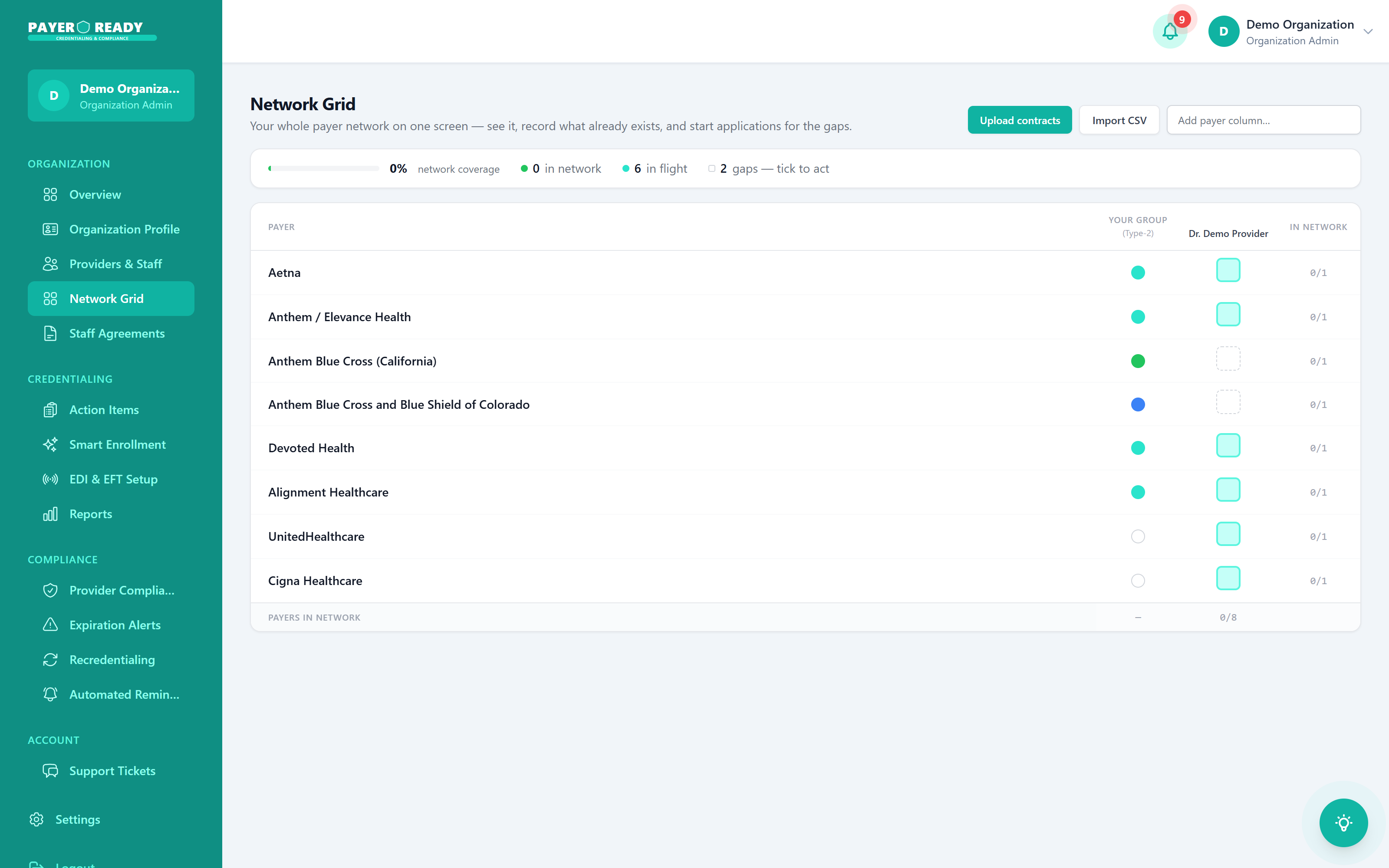
Gaps, ticked to act
Coverage, in flight, and gaps counted live
Your network, becoming whole
Every cell is one provider with one payer. Watch the board fill as contracts are recorded and applications land. The two that stay open? Those are your gaps, and they are one click from becoming applications.
Group data, before and after
Group data without PayerReady
- Participation status scattered across spreadsheets
- Nobody sure which providers are in network where
- Group details re-typed on every application
- Contracts in a drive folder nobody audits
- New locations that restart the whole mess
Group data with PayerReady
- The Network Grid shows participation on one screen
- Gaps counted and ready to act on
- Group profile entered once, reused everywhere
- Contracts uploaded and mapped to payers
- New locations and providers slot into the same grid
The group record, handled
Participation grid
Every payer, every provider, one matrix with live status.
Group profile
NPIs, Tax IDs, addresses, and banking details maintained centrally.
Gap to application
Start payer applications directly from the grid's gaps.
Contract intake
Upload contracts or import CSV to map what already exists.
Roster changes handled
Adds, terms, and location changes filed with every affected payer.
Renewals tracked
Group level recredentialing and agreement dates on the watchlist.
Practice data questions, answered
Your Organization Profile stores your Tax ID, Org NPI, and certificates in one place. Every group enrollment pulls from that same verified source, so you're not re-entering data or fixing mismatches across applications.
Yes. You control who sees what. Set user types: Provider, Coordinator, Admin, and manage your full roster. If someone leaves or changes roles, you update it in one place.
Your Tax ID, EIN, and other entity data are stored in a secure environment built for healthcare compliance. 78% of practices that switch to us say data security was a top concern. We take it seriously.
You assign tasks to providers directly from the Tasks tab: missing W-9, unsigned attestation, expired DEA. Each task has a status, so you see who's done and who's holding things up.
You can filter by date range and export to PDF or CSV. License status, credentialing progress, enrollment history: pull the report you need for an audit or a board meeting in a few clicks.
It does. Your organization profile links directly to each provider's individual profile. When you submit a group or individual enrollment, the right data populates , no manual copy-paste.
When Joint Commission or NCQA shows up, you pull filtered reports by provider, date range, or credential type, in seconds. License status, credentialing progress, compliance history for your entire roster. No scrambling through filing cabinets.
Yes. You can view invoices and payment history for credentialing services right from your dashboard. It keeps your costs visible so you can budget properly instead of getting surprised by a bill three months later.